

Change Your CNIC or Address on Driving Licence
Keeping your driving licence updated is essential for every citizen in Punjab. In 2026, the Punjab government has fully digitized the process through DLIMS 2.0 and the Maryam Ki Dastak initiative, allowing people to update their CNIC or address without visiting a physical licensing center. This digital system not only saves time but also ensures that your licence remains valid during traffic checks, e-challan notifications, and other legal verifications.
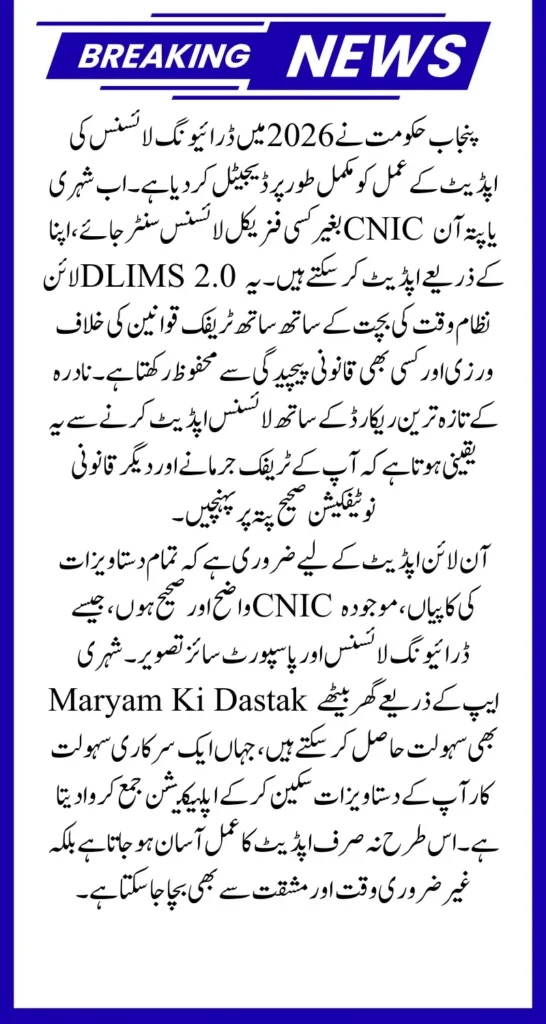
The integration with NADRA ensures that your CNIC data and driving licence details are always synchronized. Failure to update this information can result in missed legal notices or even your licence being flagged as invalid during digital roadside checks. By understanding the process and following the correct steps, you can complete your licence update safely and efficiently from home.
You Can Also Read: Punjab E-Taxi Scheme Launch in Major Cities
Why Updating Your Licence is Crucial in 2026
Punjab Traffic Police have introduced stricter digital verification measures for 2026. Updating your CNIC or address is not only a matter of convenience but also a legal necessity. Some of the main reasons why you should update your driving licence include:
- Avoid Missing E-Challans: Traffic fines are linked directly to your registered address. If your address is outdated, you may not receive important notifications.
- Prevent Licence Invalidity: DLIMS 2.0 syncs with NADRA. Any mismatch between your CNIC and licence data may mark your licence as “Invalid.”
- Stay Compliant with Traffic Laws: Updated information ensures that you are always compliant with legal requirements during roadside checks.
Updating your driving licence is also crucial for digital verification systems used in government services and emergency situations. An updated licence helps maintain a smooth flow of notifications and ensures that your personal information is always accurate.
You Can Also Read: Metro Bus Card Apply Online And Complete
Eligibility Criteria for Updating CNIC or Address
Before starting the online update, you need to ensure that you meet all eligibility requirements. These prerequisites are designed to make sure your application is processed without delay.
- Updated NADRA Records: Your CNIC and address must be current in the NADRA database. DLIMS 2.0 fetches this data automatically.
- DLIMS 2.0 Account: You must register at DLIMS Punjab using your active mobile number.
- Necessary Documents:
- CNIC (front and back)
- Current driving licence (front and back)
- Recent passport-size photo with a plain white background
Ensuring these requirements are met before you start the application reduces the risk of rejections and delays.
You Can Also Read: 8123 Ehsaas Rashan Program 2026 Registration And Payment
How to Prepare Your Documents for Online Submission
Proper preparation is key to a successful online update. The DLIMS 2.0 system has strict verification criteria, and any minor mistake can lead to rejection. Here’s what you should do before uploading:
- Scan Documents Clearly: Ensure that both sides of your CNIC and driving licence are clearly visible and readable.
- Photo Guidelines: Use a recent passport-size photo on a white background. Avoid beauty filters or edited images that could be rejected by the AI verification system.
- File Size Requirements: Keep each uploaded file under 1MB for smooth processing.
It is also a good practice to review all scans and files before uploading. Blurry or improperly scanned documents are the most common reasons for application rejection. Proper preparation ensures a smoother process and avoids unnecessary delays.
You Can Also Read: Apna Ghar Scheme Online Registration Form For 15 Lakh
Step-by-Step Guide to Updating Your CNIC or Address Online
The entire update process can be completed online in a few simple steps.
Step 1: Login to DLIMS 2.0
Visit the official DLIMS Punjab portal and log in with your account. New users must register and verify their account using the OTP sent to their mobile number.
Step 2: Apply for Correction or Endorsement
Navigate to “Apply for Renewal/Correction” on your dashboard. Enter your driving licence number, and the system will fetch your old details automatically. This reduces manual entry errors and ensures data consistency.
Step 3: Sync Your Details with NADRA
Click the “Fetch NADRA Data” button. This 2026 feature automatically updates your permanent and temporary address based on your latest CNIC record, ensuring your licence reflects your correct information.
Step 4: Upload Documents and Submit
Upload the scanned copies of your CNIC, driving licence, and passport-size photo. Make sure all files are clear and under 1MB in size. Once uploaded, review all details before submitting to avoid rejection.
Step 5: Pay Fees via ePay Punjab
After submission, a Payment Slip ID (PSID) will be generated. Payment can be made through:
- JazzCash or Easypaisa
- Mobile banking apps
- ATM (1-Link network)
This process ensures that your application is fully verified and your update is legally recognized.
You Can Also Read: Suzuki Cultus 2026 Prices Drop AGS, VXR, VXL now available
Doorstep Service: Using the Maryam Ki Dastak App
For citizens who may not be comfortable with online portals, the Maryam Ki Dastak app provides doorstep facilitation. This service allows a government-appointed facilitator to visit your home, scan documents, and submit your application on your behalf.
- How it Works:
- Download the Dastak app from Play Store or App Store.
- Request the Driving Licence Service.
- A facilitator visits your home, scans your documents, and submits the application online.
- Service Fee: Rs. 200–500, in addition to official correction fees.
This service is particularly useful for senior citizens, people in remote areas, or those who lack digital literacy.
2026 Fee Structure for CNIC or Address Updates
Here is a clear breakdown of fees for different types of corrections in 2026:
| Service Type | Total Fee (Including Courier) |
|---|---|
| Address Change | Rs. 480 + Printing Fee |
| CNIC Update | Rs. 480 + Printing Fee |
| Duplicate Licence | Rs. 580–680 (depending on category) |
These fees are affordable and vary slightly depending on your licence category and the delivery method. Knowing the fee structure beforehand ensures there are no surprises during payment.
You Can Also Read: Fully Funded IsDB Scholarships 2026–27: Know Application
Common Mistakes to Avoid During Online Update
To ensure smooth processing, avoid these common errors:
- Uploading blurry or unreadable documents.
- Attempting to update licence without updating CNIC at NADRA.
- Trying to correct an expired licence instead of applying for renewal with correction.
Avoiding these mistakes will save you time and prevent rejection of your application. Always double-check the clarity of your scans and verify your NADRA details before submitting.
Final Tips for a Successful Update
- Review all details carefully before submitting.
- Use only the official DLIMS portal or verified apps.
- Keep digital receipts, PSID numbers, and confirmation messages safely.
- Consider using the Dastak facilitator service if online submission feels complicated.
By following these steps, updating your CNIC or address on your driving licence in 2026 can be completed efficiently, safely, and without the need to visit a licensing center