

BISP Digital Wallet Activation
BISP Digital Wallet Activation has introduced a new digital payment system that allows beneficiaries to receive their ₨13,500 installment directly through a mobile wallet. This system has been designed to eliminate the challenges women face during cash distribution, such as long queues, agent deductions, and repeated visits to campsites. The Digital Wallet gives beneficiaries full control over their payments, allowing them to withdraw money quickly, securely, and without unnecessary delays. This update is part of BISP’s transition towards a more transparent financial structure where every beneficiary receives complete payments without losing even a single rupee.
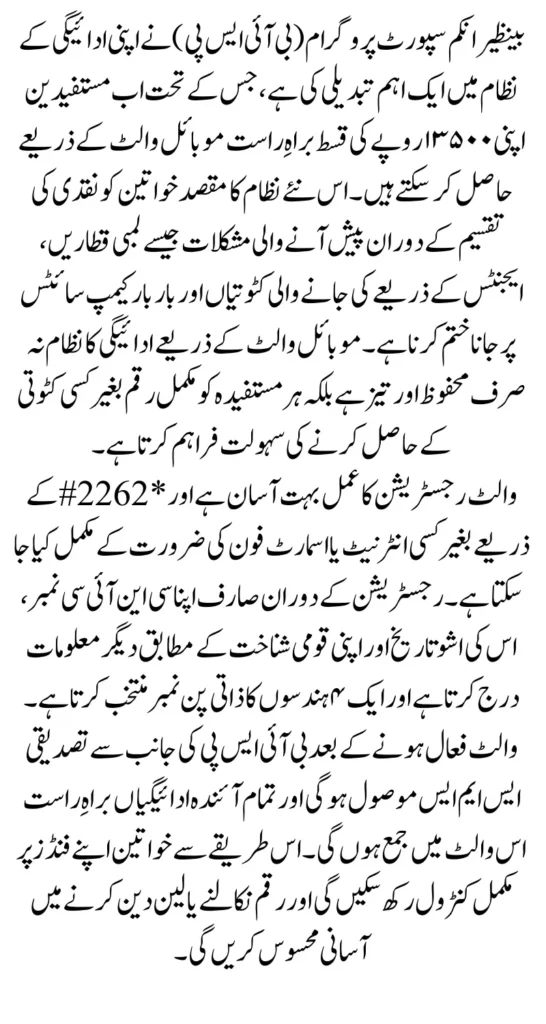
Creating a digital wallet through the official USSD code *2262# is a simple task that does not require an application or internet connection. Even users who do not understand smartphones can activate the account easily by following on-screen instructions. Once your digital wallet is active, BISP will deposit your upcoming payments directly into your mobile wallet, and an official SMS will notify you. The goal of this guide is to help you understand the entire registration process in clear, easy, human language so you can activate your wallet quickly and avoid mistakes.
You Can Also Read: BISP Payment Stoppage Warning – Wallet Registration
Why You Must Create a Digital Wallet for BISP Payments
The BISP digital wallet system is not just a technological improvement; it is a complete shift towards financial dignity, security, and speed. Traditional payment systems often caused delays, confusion, or deductions as middlemen interfered with the beneficiaries’ funds. To solve all of these issues, the digital wallet ensures every woman receives full payment securely and directly into her mobile account. Another major benefit is that it reduces physical cash handling, which limits fraud, theft, and unauthorized deductions.
Moreover, the digital wallet allows beneficiaries to withdraw funds from multiple access points such as wallet agents, retailer shops, ATMs (for some wallets), and bank partners. This flexibility ensures that even women living in remote or rural areas can access their funds without traveling long distances. The digital system also enables BISP to verify identity instantly, ensuring the right person receives the right payment at the right time.
Key advantages of the digital wallet include:
- Secure and direct transfer of payments
- Zero deductions by agents
- Instant identity verification
- Multiple withdrawal options
- Automatic SMS alerts for every transaction
You Can Also Read: BISP Free SIM & Payment Problems: How to Fix Them
Requirements Before Starting the Registration
Before starting the registration process, beneficiaries should prepare the necessary details so the USSD session does not expire in the middle of activation. Since the system verifies your information through NADRA, your CNIC must match exactly. Having your CNIC and mobile SIM in your name is crucial because the wallet links your identity with your payment record. Any mismatch will cause failure.
In addition, a stable mobile signal helps prevent interruption during the process. Since you will create a secret PIN during registration, it is important to choose a PIN that is easy for you to remember but difficult for others to guess. Avoid completing your registration in public places to maintain your privacy and security.
You must have:
- Your original CNIC and its issue date
- Mobile SIM registered in your CNIC
- Strong mobile signal
- A 4-digit secret PIN of your choice
- A quiet environment for completing registration
You Can Also Read: CM Punjab Bewa Sahara Card Required Documents
Full Step-by-Step Registration Process Using *2262#
The registration steps are designed to be simple and easy, even for those who do not use smartphones regularly. The moment you dial *2262#, the system presents a series of options that guide you through every stage of account creation. You only need to select the correct option and enter accurate information as prompted.
Once your CNIC details are confirmed, the system will ask you to create a personal 4-digit PIN. This PIN acts as your digital lock and must be kept secret at all times. After confirming the PIN, the system completes your registration and sends a confirmation SMS to your mobile number.
Steps to Create Your Wallet
- Dial *2262# from your mobile SIM registered in your CNIC.
- Select Option 1: “New Mobile Account”.
- Enter your 13-digit CNIC number correctly.
- Enter your CNIC issue date as shown on your card.
- Choose your nationality (Pakistani / Canadian Pakistani).
- Accept Terms and Conditions by selecting “Yes”.
- Create a secret 4-digit PIN of your choice.
- Re-enter the same 4-digit PIN to confirm.
- Wait for the official confirmation SMS on your mobile.
You Can Also Read: Benazir Kafalat Alert Collect Your First Payment
Understanding On-Screen Prompts During Registration
Each on-screen prompt you see during the USSD session serves an important verification role. For example, when the system asks for your CNIC number and issue date, it cross-checks your information with NADRA records. This ensures that no one else can open a wallet using your identity. Selecting your nationality is another confirmation step for beneficiaries who may have foreign nationality listed in their records.
The most important prompt is the PIN creation screen. This is where you enter a secret 4-digit code that will protect your account. If you enter the wrong PIN twice or enter mismatched PINs, the registration will fail and you will have to restart. The USSD system may also ask you to return to the main menu if needed, and you can do that simply by pressing “0”.
Common prompts you will see:
- “Enter CNIC Number”
- “Enter Issue Date”
- “Select Nationality”
- “Terms and Conditions”
- “Create PIN”
- “Confirm PIN”
You Can Also Read: BISP Update Bank Alfalah Agents Launch New Account
Digital Wallet Options You Might See
Depending on your mobile network, you may see several digital wallet options. These wallets all function similarly, allowing you to receive your BISP payments directly and withdraw them at thousands of agents nationwide. Some wallets even support ATM withdrawals, balance inquiries, transaction history viewing, and mobile bill payments.
Below is a natural table that explains wallet options commonly seen during registration:
Available Wallet Options Table
| Wallet Type | Purpose | Benefits |
|---|---|---|
| Digital Mobile Account | Standard BISP wallet | Receive payments instantly, secure access |
| Bank Wallet | Partner bank-linked wallet | Extra banking features and ATM access |
| Telco Wallet | SIM-based wallet service | Easy withdrawals from nearby retailers |
Security Guidelines Every Beneficiary Must Follow
Security is the most important part of your digital wallet. Your 4-digit PIN is your personal key, and you must never share it with anyone—not even BISP staff, helpline representatives, or shop agents. No official authority is allowed to ask you for your PIN. If someone requests your code, it is a fraud attempt.
Always keep your mobile phone and SIM in your possession. If your phone gets lost, you should immediately block your SIM to protect your account. Avoid using simple PINs like 0000 or 1111, as these are easy to guess. Memorize your PIN instead of writing it on your CNIC or storing it in text messages.
You Can Also Read: BISP Free SIM Facility Opens in Taunsa Network
For safety, follow these rules:
- Do not share your PIN with anyone
- Do not reveal your CNIC details unnecessarily
- Avoid registering your wallet in public places
- Reset your PIN immediately if you feel it is compromised
How You Will Receive the 13500 BISP Payment
When your digital wallet is activated successfully, the system will send you a confirmation SMS. From this point onward, BISP will deposit your payments—starting with the ₨13,500 installment—directly into your wallet. You will also receive an SMS alert when the funds arrive. This system removes the need for middlemen, manual verification, or waiting at campsites.
Your digital wallet balance will reflect the complete amount, and you can withdraw your funds from any authorized retailer, wallet agent, bank partner, or ATM (depending on your selected wallet type). Always withdraw money from registered agents only to avoid fraud or overcharging.
Troubleshooting: Common Problems & Quick Fixes
Sometimes registration may not complete on the first attempt due to signal issues, wrong information, or system delays. These problems are normal and can be easily fixed by following standard troubleshooting steps. Most issues occur when users enter the wrong CNIC issue date or when the mobile network signal is weak.
If your confirmation SMS does not arrive immediately, restart your phone and wait for a few minutes. You may also repeat the process if the session expires. Make sure to enter your information carefully, especially your CNIC digits.
Common issues and their solutions:
- USSD session time-out: Try again after improving network signal
- Incorrect CNIC issue date: Re-check your CNIC card
- No confirmation SMS: Restart phone and wait
- PIN mismatch: Re-enter the correct PIN carefully
Final Summary
Activating your BISP Digital Wallet with *2262# is a secure and user-friendly method to receive your payments without delays or deductions. The system verifies your identity instantly, allows you to create a confidential PIN, and sends you a confirmation SMS once your wallet is active. After that, you will start receiving your ₨13,500 BISP payment directly into your mobile wallet, ensuring full transparency and complete control over your funds. Always keep your PIN private and store your confirmation SMS for future reference.